Wortmeister/Woro
The Purpose
I created a word memorization app to help people learn foreign language
vocabulary faster and more effectively. Woro is compatible with every
language because users add words manually. GİKAL Wortmeister, on the
other hand, is German-focused—its words come from our school's
textbooks. While you can also add words manually, Woro is the best
option if you prefer a minimalist approach.
Technical Information
I built both GİKAL Wortmeister and Woro using the Rust programming
language. GİKAL Wortmeister is a fork of Woro, meaning I developed
Wortmeister using Woro as the foundation. Both applications use:
- eframe::egui (for the GUI - Graphical User Interface)
- rand::Rng (for selecting random words)
-
serde::{Deserialize, Serialize} (for parsing and reading .txt files)
- std::fs (for file system operations)
Saved words are stored in a "words_data.json" file. The apps feature
three screens: AddWords, Game, and End. Both foreign and translation
words are stored as strings.
How to Use It
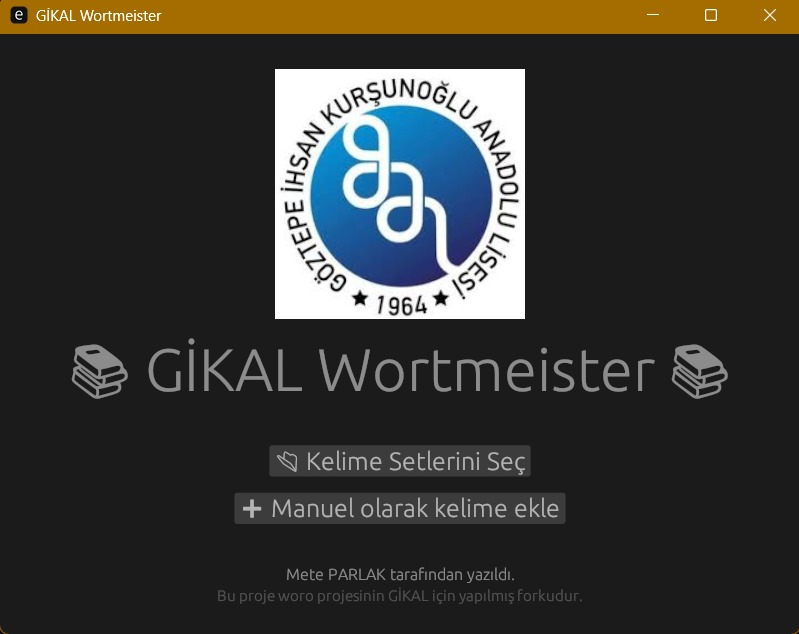
GİKAL Wortmeister
If you're using this version, you're likely a student at my school
(Selam 👋). Two options are available: Hazırlık (Preparation) and
9-10.Sınıf (9th-10th Grade). Select your grade to access the unit
selection screen, then choose the unit you want to study. The app will
present random words from your chosen grade, and you'll enter their
Turkish translations.
The game features 5 levels. Each correct answer advances a word to the
next level, while each incorrect answer moves it back one level. Your
goal is to reach level 5 for all words. Although it takes time, with
dedication and persistence, you'll master all vocabulary by the time
they reach level 5. An end screen celebrates your achievement upon
completion. Note: You can add words manually in any language, but this
version primarily focuses on textbook vocabulary.
Woro
This version is for general use. Start by entering the words you want to
learn along with their foreign equivalents and translations in your
language. You can also enter them in reverse order if you want Woro to
display the translation in your language and ask for the foreign
meaning. After confirming your entries, you'll proceed to the game
screen.
Woro will present random words from your list. Each correct answer
advances the word to the next level, while each incorrect answer moves
it back one level. Your goal is to reach level 5 for all words. You'll
be taken to the end screen once you achieve this goal.
What I Learned from Making These Apps
Through this project, I learned how to parse .txt files in Rust, select
random items, implement basic egui functionality, and apply fundamental
Rust programming concepts.
Wortmeister Version 2
The Reason for This Version
The previous version of Wortmeister was only available for Windows and
Linux computers as a desktop application. I decided to address this
limitation by converting it into a web-based program.
How I Created This Version
I used Rust as the backend language to load word sets, prepare the port,
and verify answers. For the frontend, I used the HTML + CSS + JavaScript
trio: HTML provides the website's content, CSS handles the design and
appearance, and JavaScript makes the website interactive and functional.
I created many functions in Rust to improve code readability. The CSS
code ended up longer than anticipated, but it accomplishes its purpose
effectively (which is the point, right? 😉). JavaScript primarily sends
user commands to the Rust backend.
What I Learned While Making This Version
This was my first experience building a website with a backend, so the
most valuable lesson was learning how to enable different programming
languages to communicate with each other through APIs.
After days of debugging and deploying, I finally deployed the website successfully. Here is the URL for those who want to try:
Wortmeister